
Home

How to Assign WhatsApp Conversations: Routing, Ownership, and Handoff That Keeps Every Thread Intact

Knowing how to assign WhatsApp conversations is one of the first things a growing team needs to get right. Without a clear assignment model, agents work in parallel on the same conversations, managers have no visibility, and customers experience confusion. This guide covers the practical options and when to use each one.

Last updated July 4, 2026

Auto-assign to reduce manual triage
Load-balanced routing across the team
Handoff that preserves full conversation context

Short answer

Assign by routing rule where possible, by team, conversation type, or load, and fall back to manual assignment only for exceptions. Every assignment should create a visible owner and a defined response window.

Product Proof

What This Looks Like In The Product

Real screenshots from the live marv.Inbox workspace. marv.Inbox is also available in Hebrew and Arabic.

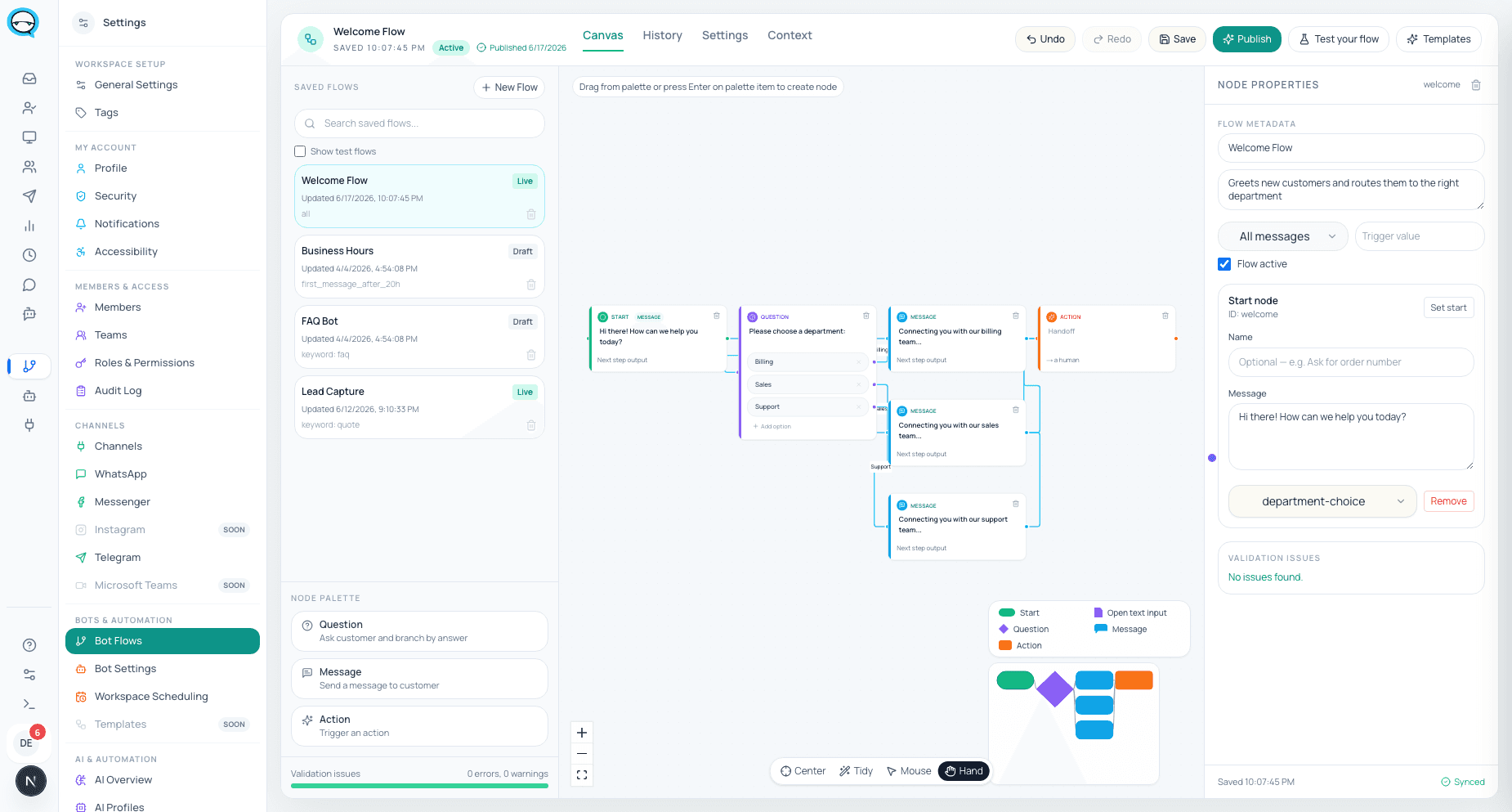
marv.Inbox automation flow builder screenshot
Automation and flow builder for routing new WhatsApp conversations to the right team or path.
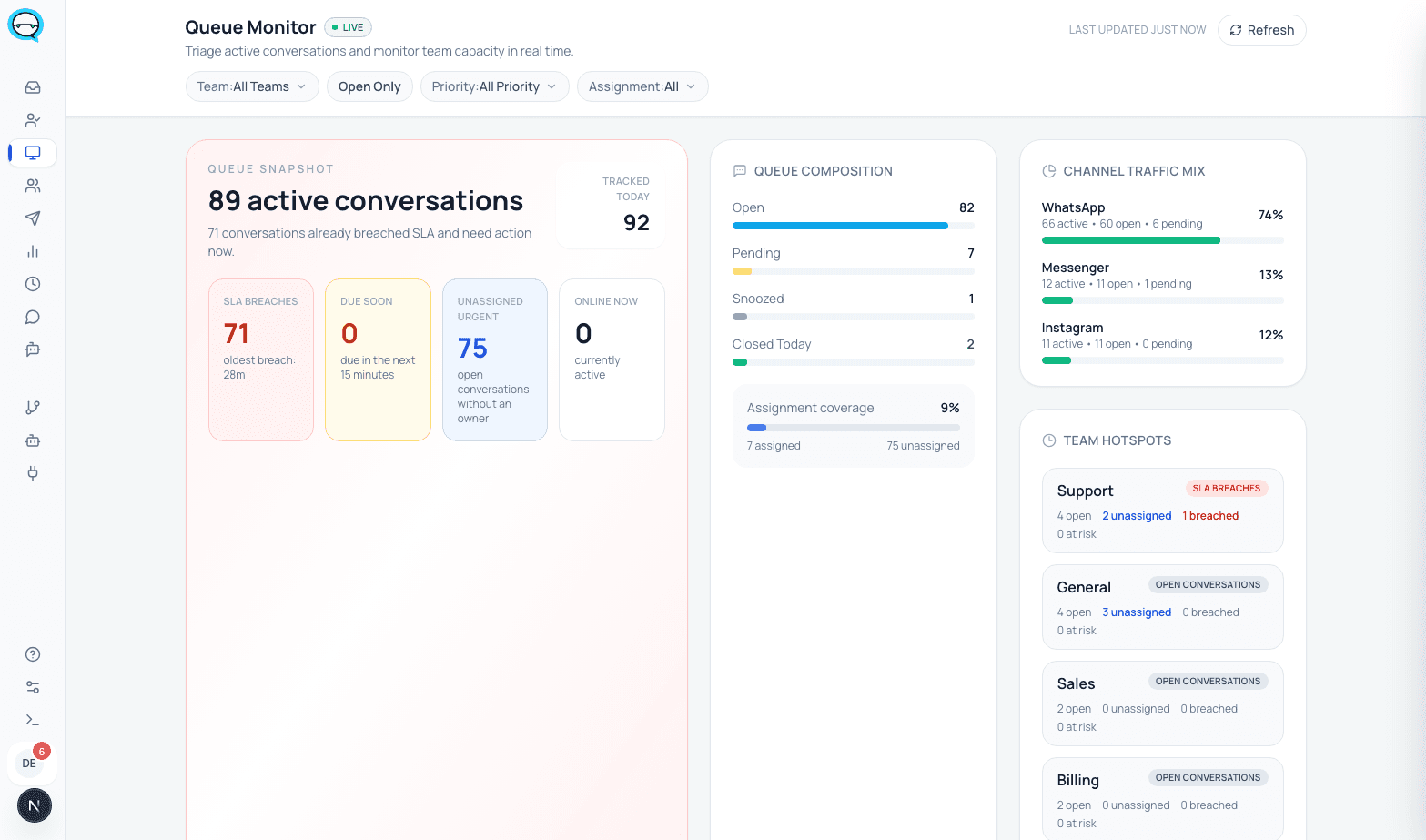
marv.Inbox live monitor and SLA dashboard screenshot
Live queue monitor showing open load, unassigned work, and SLA risk for managers.
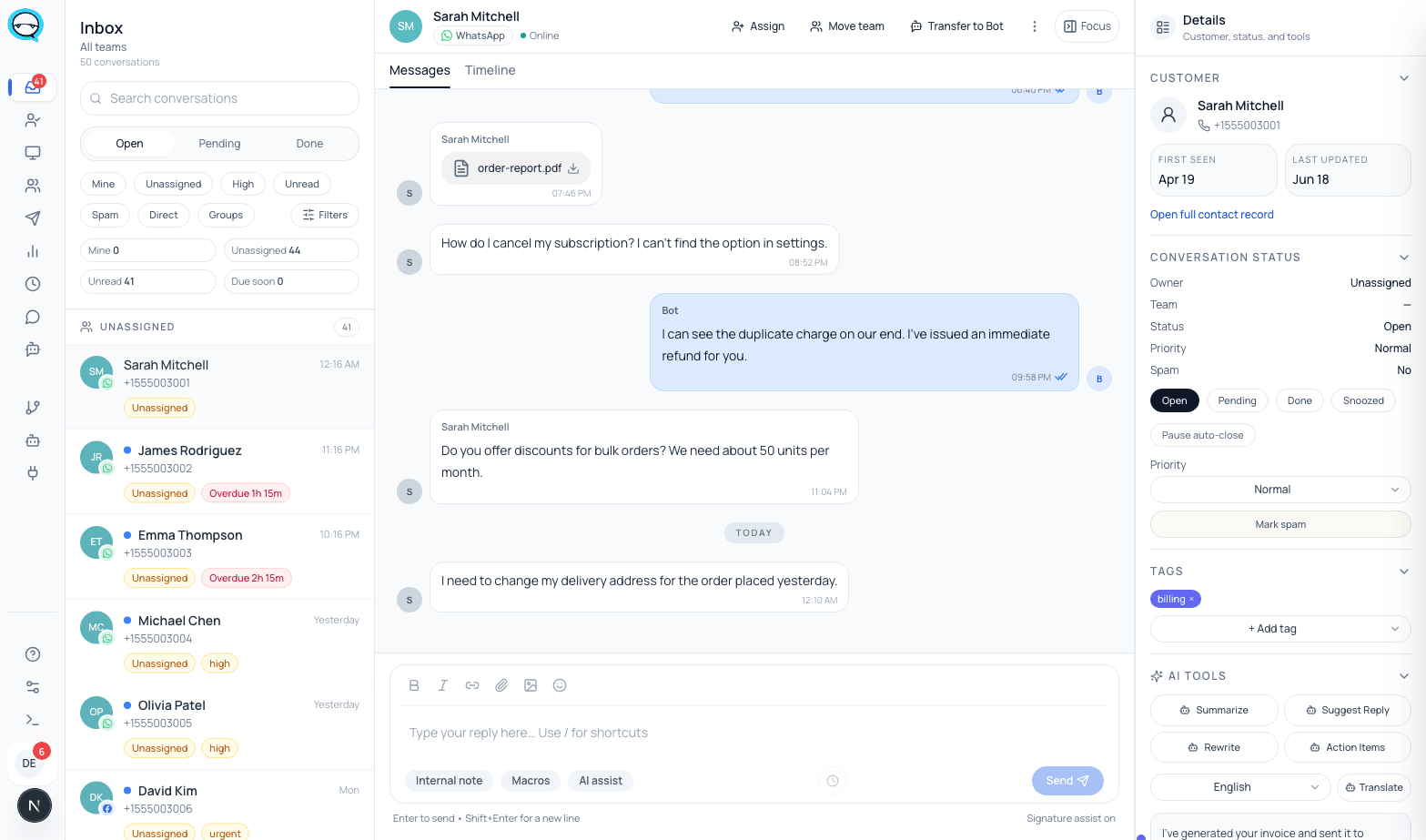
marv.Inbox shared inbox workspace screenshot
Shared inbox view with ownership, tags, status, and internal collaboration inside the conversation.

Why teams search for this

What happens when assignment is ad hoc

Without a defined assignment workflow, conversations get handled by whoever is available at the moment, which is not the same as whoever should be handling it.

  • Multiple agents start typing a response to the same message before checking if it was already claimed.
  • Handoffs happen verbally or in a separate group chat, breaking the conversation record.
  • There is no way to know which agent is overloaded and which has capacity.

WhatsApp chat assignment rules a manager can set

Assignment rules are the settings a manager configures once so every new chat reaches the right owner on its own, instead of the team guessing. A rule pairs a condition with an action: the condition is what the chat matches, such as the team it belongs to, a keyword, the channel, or the time of day, and the action routes it to a team and then assigns it to an agent. Rules run in order from the most specific down to a catch-all, so nothing lands in no one's hands.

The rules most teams set first are plain. Route by team, so sales questions go to the sales queue, support to support, and billing to whoever owns billing. Inside a team, balance by load with round-robin or least-busy assignment so new chats spread evenly rather than piling on one agent. Send VIP or named accounts straight to a specific owner. Give everything that matches no other rule a default queue, so no chat sits unclaimed.

What makes these rules worth setting is that they are enforced and easy to check, not tribal knowledge. A manager sees the live queue, who owns each open chat, which agent is busiest, and which chats have passed their response window, then reassigns in one move and leaves a note the next agent reads first. Escalation and the bot-to-human handoff follow the same rules, so a chat that stalls is passed on by policy rather than by whoever happens to notice.

See how a shared WhatsApp inbox enforces ownership

Workflow

Three assignment approaches and when to use each

01

Auto-assignment by round-robin or availability works best for high-volume, interchangeable inquiries where any agent can respond effectively.

02

Skill- or team-based routing works best when conversation type matters: support cases go to support, leads go to sales, escalations go to specialists.

03

Manual assignment with manager override works best for VIP customers, edge cases, and escalations where context should drive the decision.

What the better setup should include

What a reliable assignment model requires

Instant accountability

The assignment rule creates a named owner immediately, not a shared queue with no one accountable.

Assignment transparency

Managers see the assignment queue, per-agent load, and unassigned conversations in real time.

Rule-based routing

Assignment rules, escalation paths, and handoff logic are configured once and enforced consistently.

Best fit

Teams that need a defined assignment model

  • Teams with 3 or more agents handling the same WhatsApp number and no formal ownership system.
  • Operations that mix sales inquiries and support cases in the same inbox without routing.
  • Managers who cannot tell at a glance who owns which conversation or what the current response time looks like.

Questions teams ask before changing the workflow

Should WhatsApp conversations be assigned automatically or manually?+

Auto-assignment works for the majority of volume. Manual assignment should be reserved for exceptions, high-value customers, complex escalations, or cases requiring a specific skill.

How do you reassign a conversation without breaking the thread?+

By using a handoff note inside the conversation record, the receiving agent sees the prior messages, internal notes, and reason for reassignment.

What is the right SLA for a WhatsApp assignment?+

Most teams target 2 to 5 minutes for high-priority queues and 15 to 30 minutes for standard queues. The goal is that no conversation sits unassigned long enough for the customer to send a follow-up.

See whether this workflow fits your team

Explore the product, then request a walkthrough if you want help mapping channels, ownership, automation, or rollout.