
WhatsApp Coexistence: keep the app, add the platform
Coexistence lets the WhatsApp Business app and the Cloud API run on the same business number at the same time. This page covers what you need before you start, what happens during the connection, exactly what syncs and what does not, and the limits you inherit afterwards.
- Keep the app, the number and the phone. Add a team inbox on top
- Six months of chat history and your WhatsApp contacts sync in
- Requires WhatsApp Business app 2.24.17 or higher, and a 24 hour sync window
- Fixed at 20 messages per second, and group chat messages do not sync
Short answer
Coexistence connects your existing WhatsApp Business number to the Cloud API while the app keeps working on the same number. Messages are mirrored between the two, so your team can answer from a shared inbox and you can still answer from the phone.
It exists because the alternative, moving a working number onto a dedicated Cloud API line, means giving up the app on that number and starting with no history. Coexistence is the route that avoids that trade.
What you need before you start
The WhatsApp Business app on the number must be version 2.24.17 or higher. This is not a recommendation, it is the version Meta states is required for the number to be onboarded this way.
You need access to the Meta business account that owns, or will own, the number, because the connection runs through a Facebook login dialog and grants access to a WhatsApp Business Account.
You need the primary phone available during the connection. The app account is anchored to it, and it is the device that authorizes what happens next.
Decide up front whether you want Coexistence or a dedicated Cloud API number. In our implementation these are two separate Meta login configurations chosen before the dialog opens, so it is a decision made at connect time rather than a setting changed afterwards.
What happens when you connect
This is the flow as we implement it. Steps two and three happen inside Meta’s dialog, and the rest is our side of the exchange.
- 01
You choose the Coexistence path
The choice loads the Coexistence login configuration rather than the full Cloud API one. They are distinct Meta configurations, and only one can launch per dialog.
The dialog that opens is the WhatsApp Business app onboarding flow, not the takeover flow.
- 02
You sign in and pick the number
Meta’s dialog handles the login and the selection of the business and the phone number that is already running the WhatsApp Business app.
Meta returns a WhatsApp Business Account id and a phone number id to the browser.
- 03
We exchange and verify the grant
The authorization code is exchanged for an access token, and the token is verified before anything is stored. The account and number are then resolved from what Meta returned rather than by enumerating your business assets, because the Coexistence token is scoped to the new account only.
The number is attached to your workspace, with no broader access to your business than the connection needs.
- 04
History synchronizes, on a clock
Meta gives the connecting partner 24 hours to synchronize messaging history. A connection that does not complete the sync in that window has to be offboarded and the flow started again.
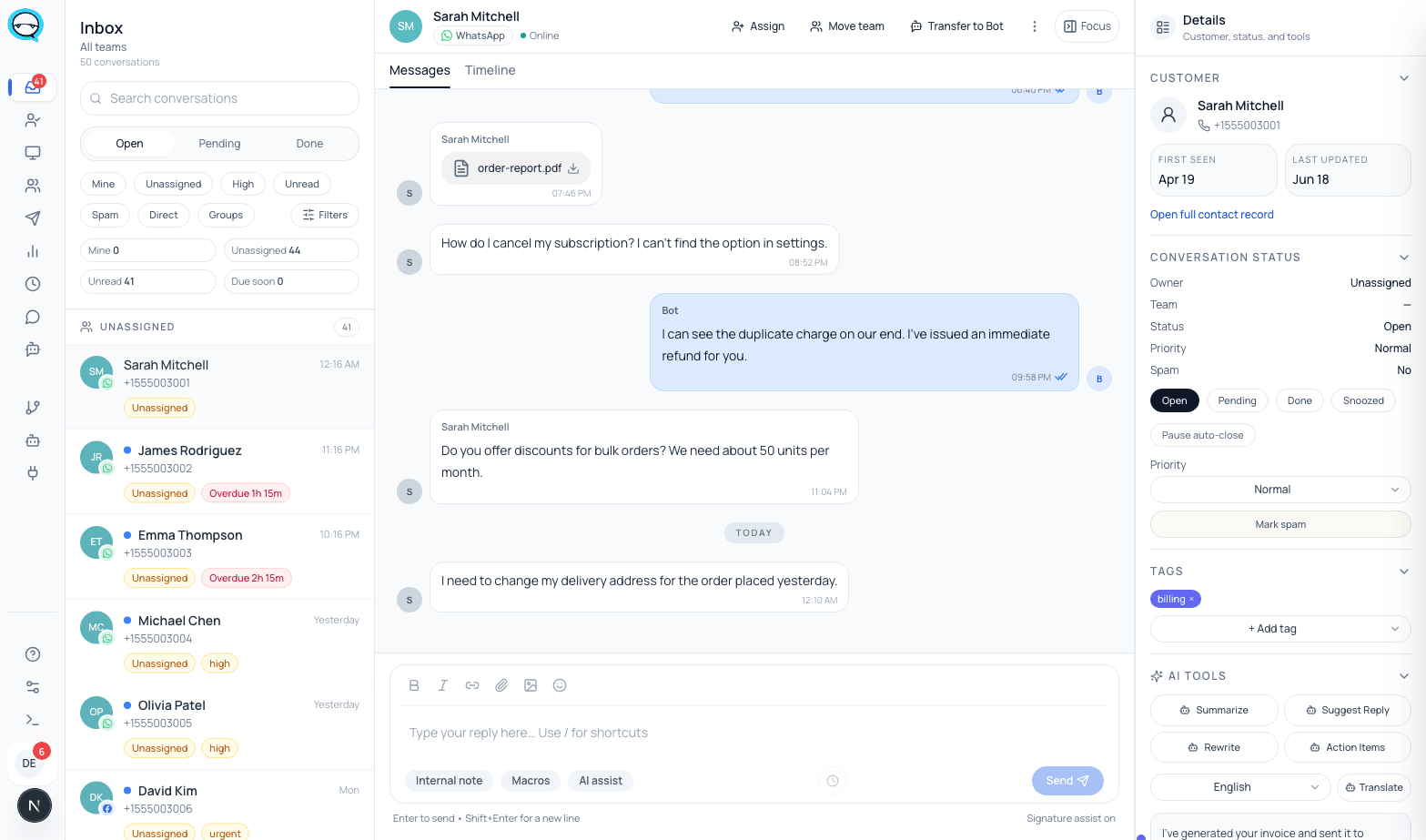
Your recent conversations appear in the inbox as existing threads rather than as an empty queue.
- 05
Both surfaces are live
From this point the app and the inbox are both working on the number, with messages mirrored between them.
A message answered on the phone appears in the inbox, and a message answered in the inbox appears on the phone.
What syncs, what does not, and what stays in the app
This is the table to read twice. Most surprises after a Coexistence connection are in the second column.
| Thing | What happens |
|---|---|
| Chat messages | The most recent 6 months can be synchronized |
| Contacts | All contacts with a WhatsApp number can be synchronized |
| Group chat messages | Not included in the sync |
| Media in synced messages | Arrives without media asset ids. Those follow separately, and only for media sent within 14 days of onboarding |
| Anything older than 6 months | Stays on the phone. It is not migrated |
| New messages after connection | Mirrored between the app and the Cloud API |
| Messages you send from the app | Stay free |
| Messages sent through the Cloud API | Billed at Cloud API pricing |
Every row above is stated by Meta in the Coexistence onboarding documentation cited at the bottom of this page.
What the inbox looks like once it is connected
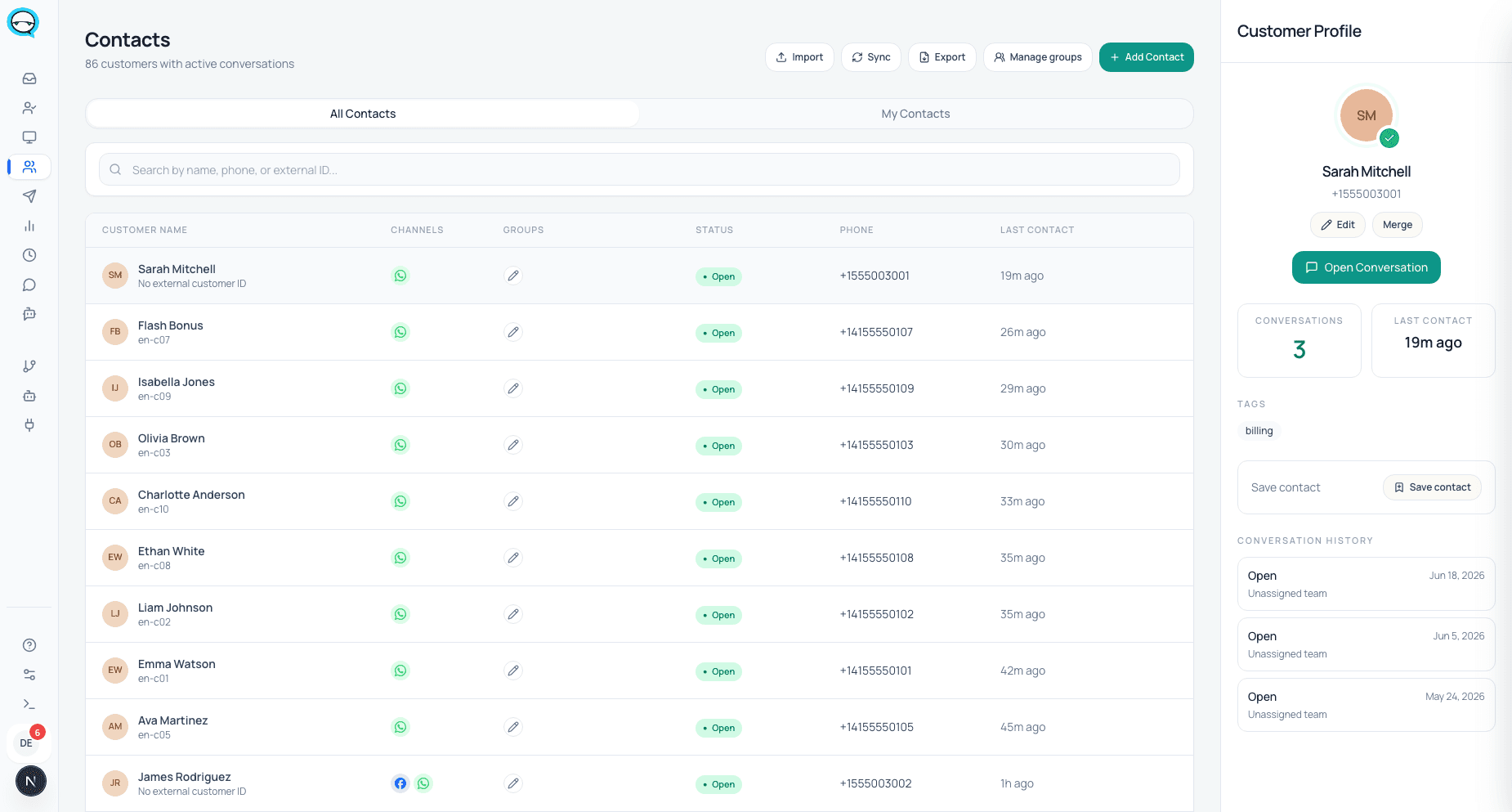
Real captures from a running marv.Inbox workspace. Synced conversations arrive as ordinary threads with the contact attached, which is the point of the six month sync: the team starts with context rather than a blank queue.
What you inherit along with it
None of these are dealbreakers on their own. Together they are the shape of the tradeoff.
- ▲A number in use with both the app and the Cloud API has a fixed throughput of 20 messages per second. That is comfortable for conversations and a real ceiling for bulk sending.
- ▲Group chat messages do not sync, so group history and group activity stay an app-side concern.
- ▲Only the most recent 6 months of chat messages come across. Older threads remain on the phone.
- ▲Media in synced history arrives without asset ids unless it was sent within 14 days of onboarding.
- ▲The 24 hour sync deadline is real. A connection that stalls has to be offboarded and redone.
- ▲Because the app stays live, someone can still answer from the phone and bypass assignment, SLA and reporting. If that matters more than keeping the app, a dedicated Cloud API number is the honest recommendation.
- ▲Meta’s documentation does not spell out what disconnecting later does to history that has already synced. We are not going to guess at it. Ask before you connect if that is part of your decision.
What it costs, and the date that changes
Today the split is simple. Messages your team sends from the WhatsApp Business app stay free. Messages sent through the Cloud API are billed at Cloud API pricing, which charges per delivered template message, by category and destination country.
Two dated changes are already scheduled. Since 1 August 2026, Meta Business Agent messages are charged per token at $2.00 per 1M tokens. From 1 October 2026, service messages and utility messages sent in response to users become chargeable, with Meta stating that any non-template message is charged from that date.
The practical consequence for a Coexistence setup is that the free half of the split narrows in October. Plan the cost model against both dates rather than against today.
Questions before connecting
Will I lose my chat history?+
The most recent 6 months of chat messages and your contacts with a WhatsApp number can be synchronized. Group chat messages are not included, and anything older than 6 months stays on the phone.
Can my team still use the phone after connecting?+
Yes, that is the point of Coexistence. The app keeps working on the same number and messages are mirrored between it and the Cloud API.
Why does my app need updating first?+
Meta requires WhatsApp Business app version 2.24.17 or higher before a number can be onboarded through this path.
How fast can I send?+
A number in use with both the app and the Cloud API is fixed at 20 messages per second. If you need more than that for outbound campaigns, a dedicated Cloud API number is the right shape.
What if the connection does not finish?+
Meta gives 24 hours to synchronize messaging history. A connection that does not complete in that window is offboarded and the flow is started again.
Sources, checked June 2026
Sources
Version requirement, sync scope, the 24 hour deadline, the 20 mps ceiling and the pricing split are all stated by Meta. The connection steps describe our own implementation of Meta’s Embedded Signup.
- Meta for Developers: Onboard WhatsApp Business app users (Coexistence)
- WhatsApp Help Center: About linked devices on the WhatsApp Business app
- Meta for Developers: Pricing on the WhatsApp Business Platform
- Meta for Developers: Upcoming pricing updates for non-template messages
Checked on 2026-08-03
Who wrote this
marv.Inbox team
Product and support team, marv.Inbox
We build marv.Inbox and we run our own customer conversations inside it, on the same WhatsApp number the buttons on this page open.
See this working on your own use case
Explore the live demo, then book a short walkthrough and we will map your queues, owners, and handoffs together.