
WhatsApp CRM integration
Most CRM integration pages are a grid of logos. This one says what actually moves: which systems connect, what data is read into a conversation, what is written back, and what has to happen before any of it is switched on for your workspace.
- The connectors that are live in the product, and nothing that is not
- What is read, what is written, and in which direction
- One real workflow: inbound message to contact context to follow-up
- Connectors are enabled per workspace by our team, not by you during a trial
Short answer
marv.Inbox connects to your CRM so an inbound WhatsApp conversation can show who the person is, and so what happened in the conversation can be written back to the record that owns them.
It is not a two-way mirror of everything. The inbox owns the conversation, your CRM owns the account and the pipeline, and the connector moves the specific things that make each side useful to the other.
What connects today
This list is the set of connectors that are live in the product right now. If a system is not on it, we do not have a connector for it, and we would rather say so than put a logo in a grid.
| System | How it connects | Status |
|---|---|---|
| HubSpot | OAuth connect through the CRM connector | Live |
| Salesforce | OAuth connect through the CRM connector | Live |
| Pipedrive | OAuth connect through the CRM connector | Live |
| monday.com | OAuth connect, with board and column mapping | Live |
| Zoho CRM | OAuth connect on its own route | Live |
| Boss CRM | Configured connector | Live |
Every connection is a per-workspace entitlement that is off by default. Our team switches it on for your workspace; it is not a toggle you find in settings during a trial.
What is read, what is written, and which way
Reading is about context. When a conversation opens, the connector looks the person up in your CRM by phone number and brings back the record that matches, so the agent sees who they are talking to instead of a bare number.
Writing is about not losing what happened. Outbound writes are tracked individually: each one carries its own status, a retry count, and the id of the record that was created on the CRM side, so a write that fails is visible and repeatable rather than silently dropped.
Two bulk flows exist alongside the per-conversation ones. A contact import pulls records in, and an audience sync pushes a contact group out to the CRM. Both run as background jobs rather than blocking anyone’s screen.
What does not move: your CRM does not become a message archive. The conversation, its notes and its ownership stay in the inbox, and the CRM keeps the account, the deal and the forecast.
One real workflow, start to finish
An inbound message from someone who already exists in your CRM.
- 01
A message arrives from an unknown-looking number
The conversation opens in the shared inbox with a contact record attached, as every conversation does.
The agent has a thread and a phone number, and not much else yet.
- 02
The connector matches the person
The phone number is used to look the person up in the connected CRM.
The agent sees the matched record instead of an anonymous number, before they reply.
- 03
The agent works the conversation
Ownership, notes, tags and status all stay in the inbox, where the conversation lives.
The team’s context stays with the thread rather than being copied into CRM fields nobody reads.
- 04
The outcome is written back
What needs to reach the CRM is written there, tracked with its own status and retry state and the id of the created record.
A failed write is visible and can be retried, rather than quietly disappearing.
- 05
Follow-up respects the messaging window
If the follow-up happens after the 24 hour window has closed, it needs an approved template, whatever your CRM thinks the next step is.
The CRM plans the follow-up. WhatsApp decides what form it can take.
Where this shows up in the product
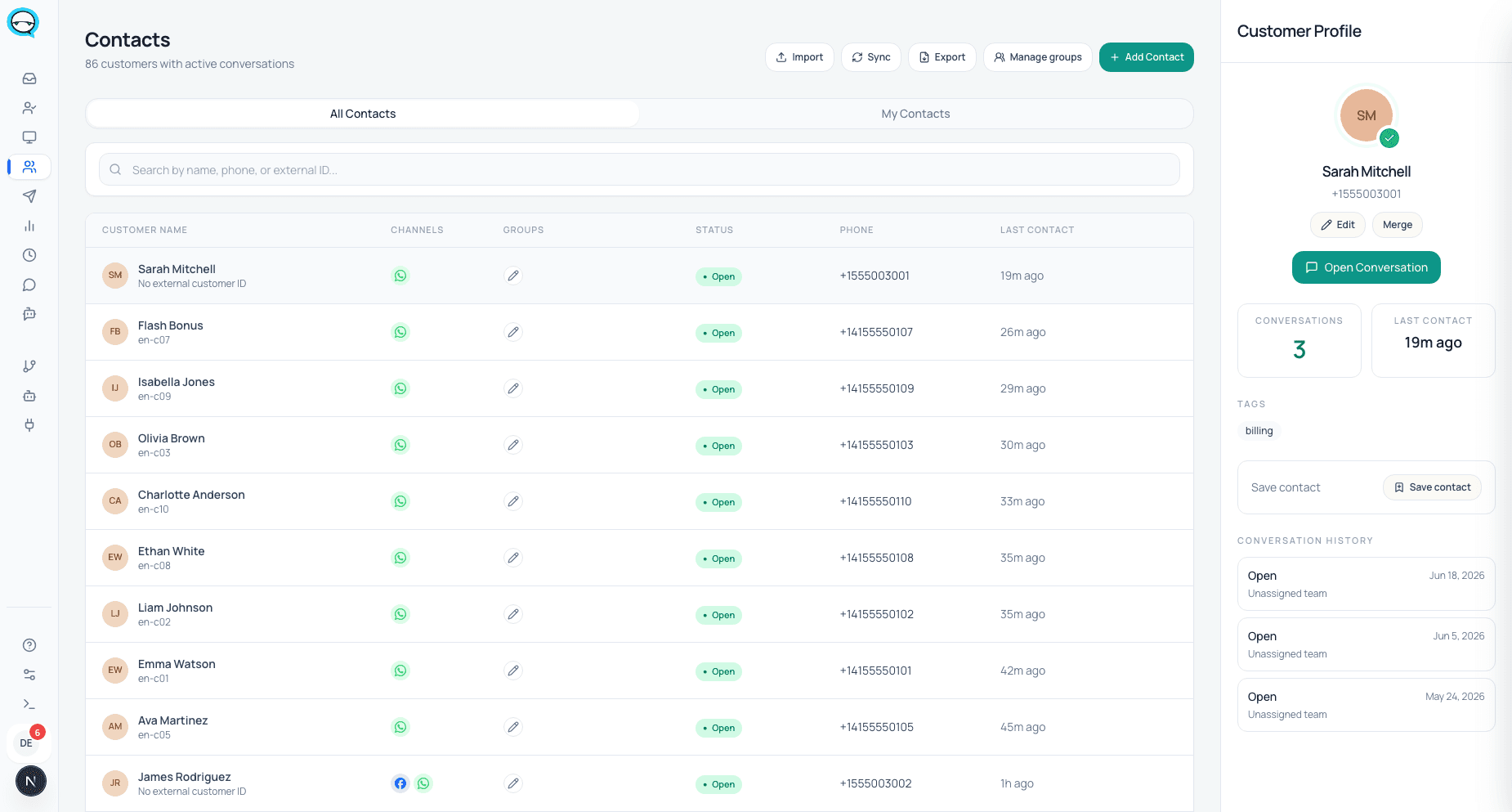
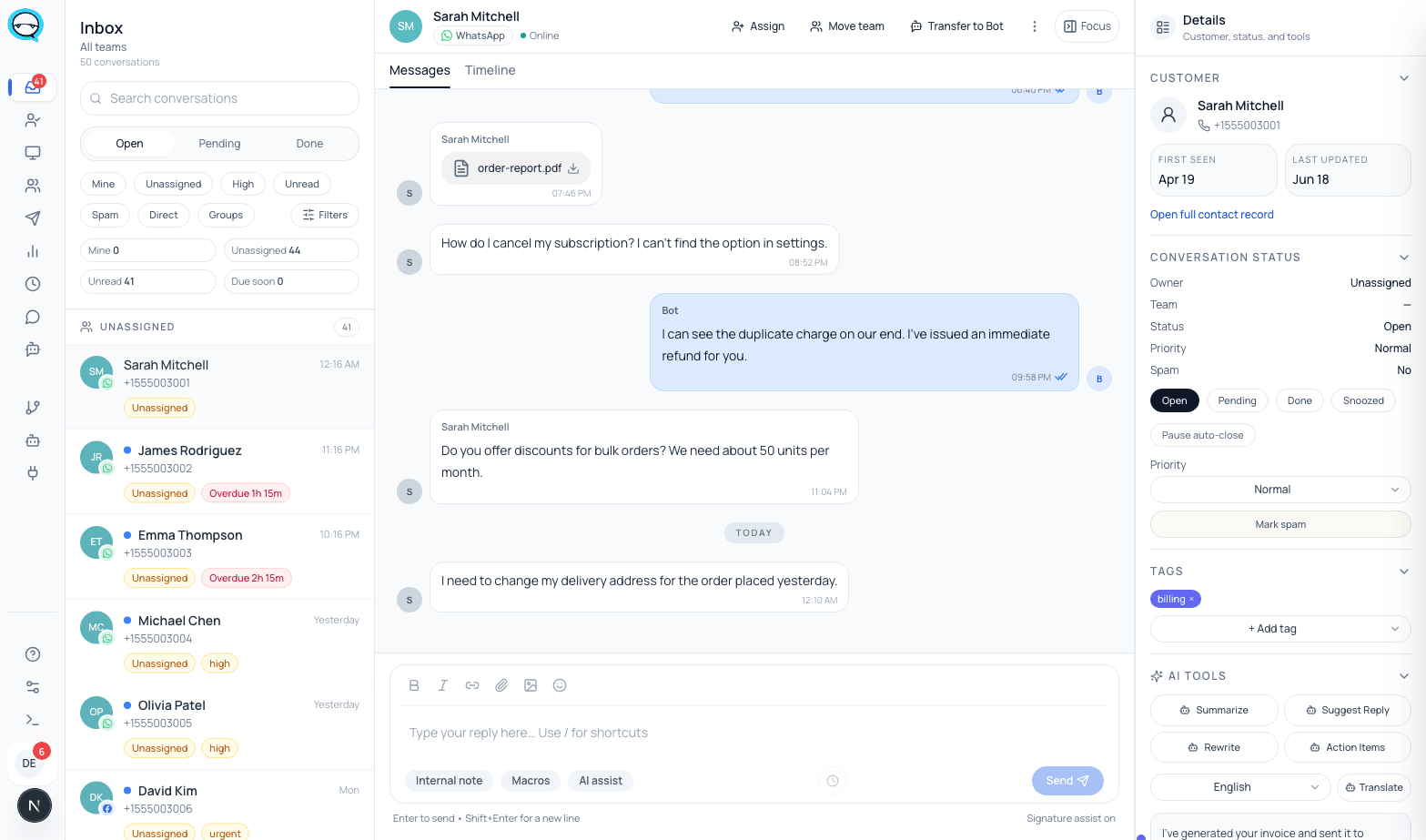
Real captures from a live marv.Inbox workspace. The contact record is where CRM context lands next to the conversation.
Permissions and boundaries
A connection is authorized per workspace through the CRM vendor’s own OAuth flow, so access is granted by someone who can grant it in that system, and can be revoked there.
Each connector is gated behind its own per-workspace entitlement, which is off by default. Turning one on is an operator action on our side, which is deliberate: a live CRM connection moves customer data and is not something a trial should be able to switch on unattended.
Data stays within the workspace it was connected for. The inbox is multi-tenant with per-workspace separation, described in more detail on the security page.
Honest limits
- ▲Connectors are enabled per workspace by our team and are off by default. This is not self-serve.
- ▲Matching is by phone number. A CRM record with no phone number, or a customer messaging from a different number, will not match.
- ▲This is not a full bidirectional sync. Specific flows move specific things; your CRM does not receive a copy of every message.
- ▲If a system is not in the table above, there is no connector for it today. We would rather leave the logo off than imply one exists.
- ▲The inbox does not model deal stages, pipelines or forecasts. That is your CRM’s job and it should stay that way.
- ▲Follow-up is still bound by WhatsApp’s 24 hour window regardless of what the CRM schedules.
Integration questions
Can I enable a connector myself during the trial?+
No. Each connector is a per-workspace entitlement that is off by default and switched on by our team. That is intentional, because a live connection moves customer data.
Does my CRM get a copy of every WhatsApp message?+
No, and it should not want one. The inbox owns the conversation and its notes; specific outcomes are written back to the CRM record.
How does it know which CRM record a conversation belongs to?+
By phone number. If the record has no phone number stored, there is nothing to match on.
What happens if a write to the CRM fails?+
Outbound writes carry their own status and retry count, so a failure is visible and repeatable rather than silent.
Which CRM do you recommend?+
The one your sales team already uses. A connector is not a reason to change CRM, and we are not going to pretend otherwise.
Sources, checked June 2026
Sources
The API documentation published by each vendor, for the external half of each connection.
- HubSpot: CRM contacts API
- Salesforce: REST API developer guide
- Pipedrive: API reference
- monday.com: API reference
- Zoho CRM: API documentation
Checked on 2026-08-03
Who wrote this
marv.Inbox team
Product and support team, marv.Inbox
We build marv.Inbox and we run our own customer conversations inside it, on the same WhatsApp number the buttons on this page open.
See whether this workflow fits your team
Explore the product, then request a walkthrough if you want help mapping channels, ownership, automation, or rollout.